

Applicants
On this page, you will learn all there is to know about Appplicants and the role they play in Workflow Sessions.
What is an Applicant ?
An Applicant represents an end user that will upload his documents on your Workflow Session Link. Applicants can be of two types : legal_person , natural_person.
In complex use cases, you might require to collect document both from a legal_person and associated natural_persons. To centralize document collection in these cases you can link multiple natural_person Applicants to a single legal_person Applicant by using the parent_applicant_id parameter.
Defining ApplicantrolesIn these complex use cases, when defining an Applicant you can define his
role:legal_representativeorbeneficial_owner. As a result when collecting documents from these Applicants : legal representative and ultimate beneficial owner documents will be clearly separated in the Workflow Collect experience (see here).
{
    "label": "Kelly Smith",
    "type" : "natural_person",
    "natural_person" : {
        "identity" : {
            "first_name" : "Kelly",
            "last_name" : "Smith"
        },
        "address" : {
            "line_1" : "123 York Street",
            "line_2" : null,
            "city" : "Paris",
            "postal_code" : "123"
        },
        "bank_account" : {
            "iban" : "FR7630001007941234567890185",
            "bic" : "BCHAFR21"
        }
    },
    "parent_applicant_id" : "9541fd3e-a122-4d91-a15e-a13747d2ac51"
}
{
"label": "Yousign",
"type" : "legal_person",
"reference_id" : "123",
"legal_person" : {
"company_name" : "Yousign",
"country_code" : "FR",
"bank_account" : {
"iban" : "FR7630001007941234567890185",
"bic" : "BCHAFR21"
},
"legal_representatives" : [
{
"first_name" : "Jean",
"last_name" : "Dupont"
}
]
}
How are Applicant data used ?Applicant data are compared to data extracted from Documents and used to perform Verifications. Keep in mind that a rich Applicant description provides more cross reference check points in your Verifications.
Additionally :
- A Workflow Session can contain one or more Applicants.
- You can update the information that describe your Applicant at any time this allows you to collect information progressively on your end.
- ⚠️ In case you have linked
natural_personApplicants to a parent Applicant, once a link has been generated for the Workflow Session, you won't be able to update the parent Applicant.
Applicant's statuses
The Applicant's status depends entirely on the Verifications Attached to the given Applicant. Workflow Session status lives at a higher level and helps you track the overall Workflow progress.
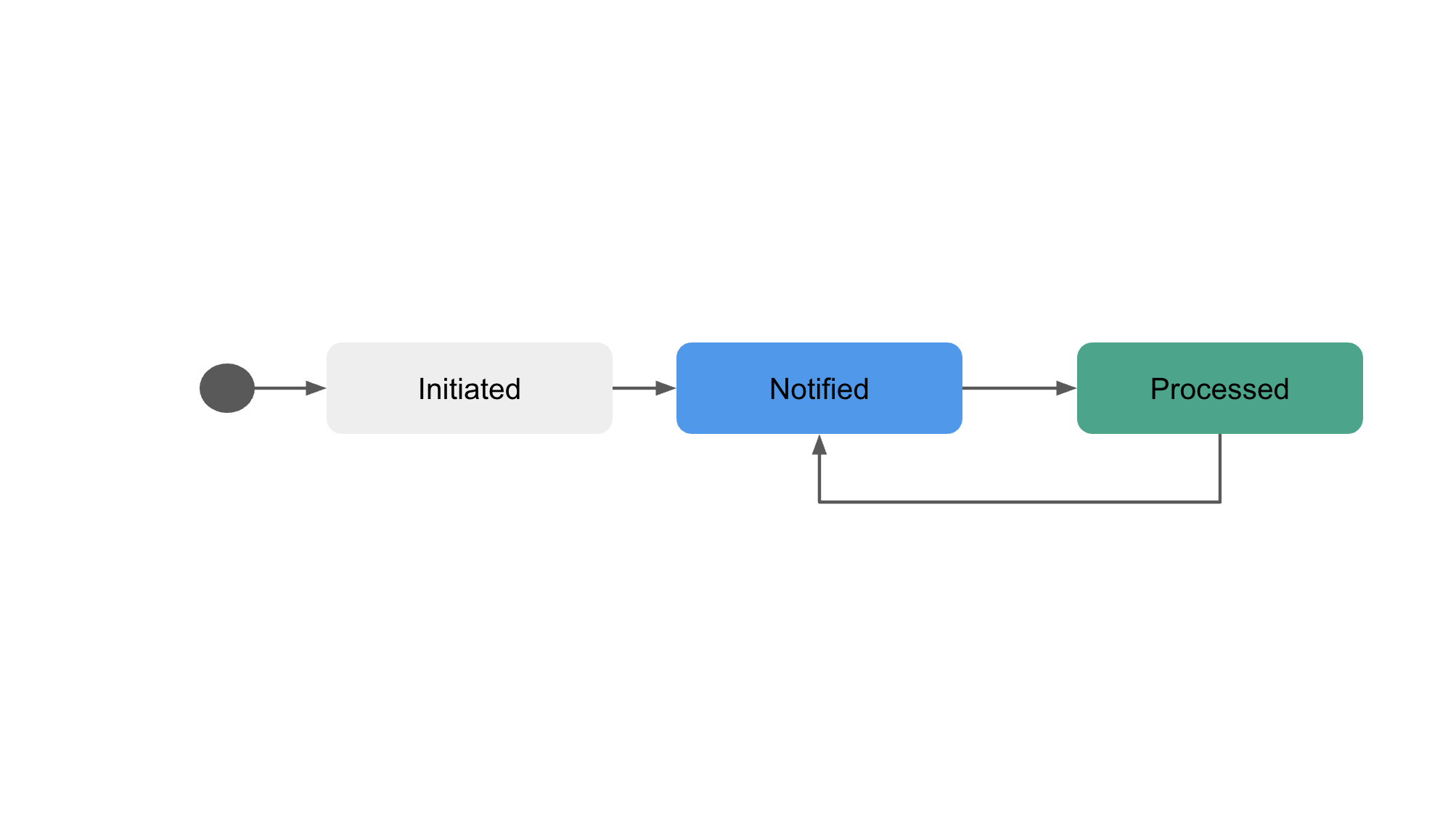
| Status | Details |
|---|---|
initiated | The Applicant has been added to a Workflow Session and is waiting to be notified to verify his documents |
notified | The Applicant can verify his documents. A Workflow Session Link can be retrieved. An applicant is in notified status when he is attached to at least 1 Verification. |
processed | All Actions attached to the Applicant are in done status. |
Applicant's lifecycle
An Applicant can move from the processedstatus to the notified status if a new Verification is initiated for the given Applicant.
Updated about 14 hours ago